
Collect rent online
Connect Stripe once, and rent and deposits are paid into your own account. Each lease keeps a ledger of charges and payments.
Before tenants can pay online
- Payouts set up with Stripe: see Set up payouts for rent.
- An active lease: one you sent for signature, or a current tenant you recorded.
Tenants pay by bank account, or by card if you accept cards. They can also turn on autopay.
The rent ledger
Each lease has a ledger of charges and payments. In Leases, select Payments on a lease. From the ledger you can:
- Add a charge, or Void a charge made in error, or Waive part or all of one.
- Record a payment you received by check, cash or money order. Online payments are recorded automatically.
- Change due day before any rent is charged, and set Late fee terms: see Charge late fees.
- Refund a tenant's credit, and Return the deposit at the end of a lease: see Refunds and deposits.
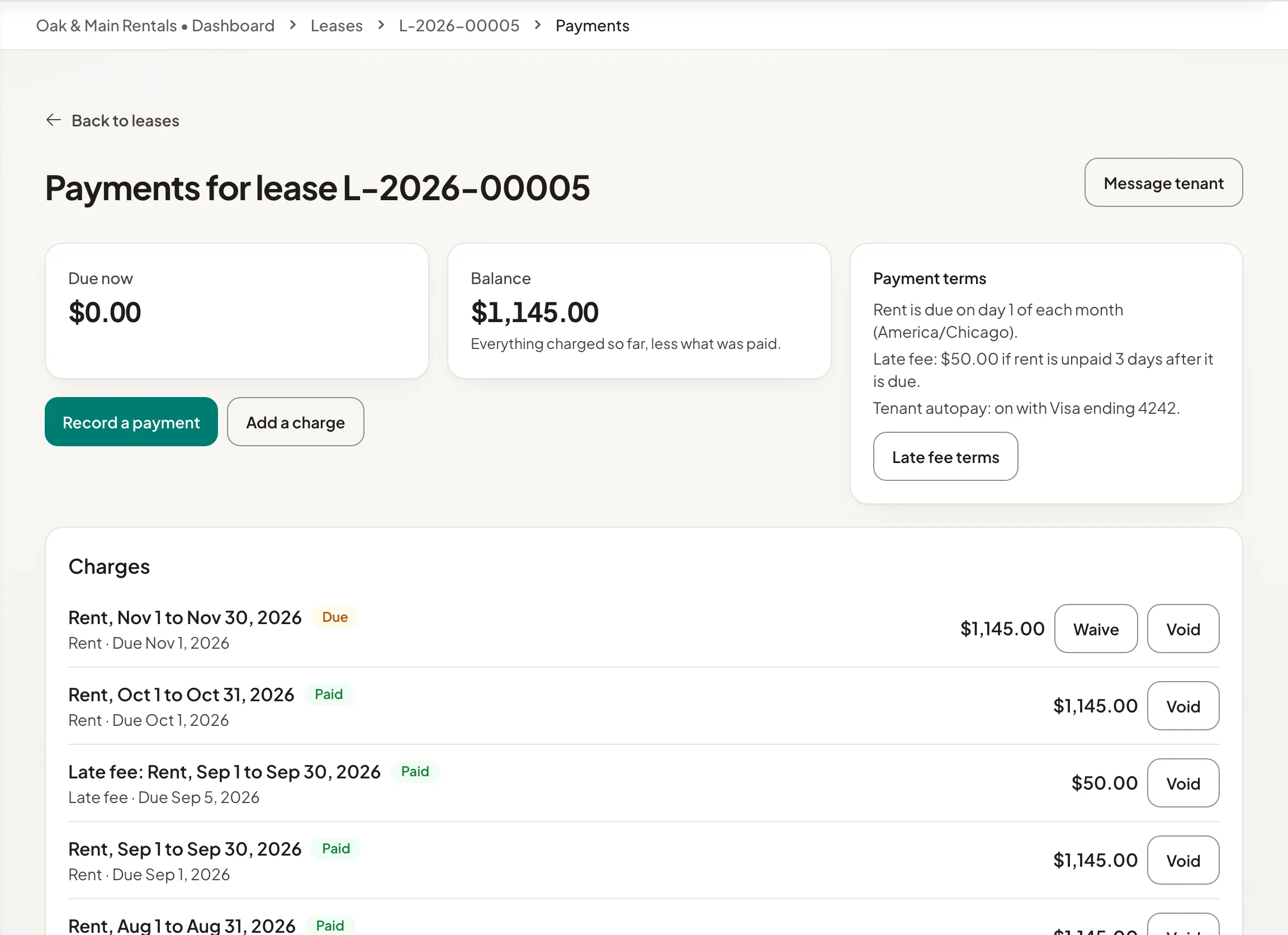
To write to the tenant from here, select Message tenant.
Your books
Accounting turns your ledger into files for QuickBooks Online, Xero or a spreadsheet. See Export rent to your accounting software.