Skip to content
HoluwayProperty Management

Property websites

Give every property a leasing website built to convert.

Live availability, floor plans, rents and fees, photos, tours and applications, all made from the property you already keep in Holuway. Publish when you are ready, and it stays current by itself.

Maple Row Flats' published website: the community's name, the homes available, their rents and a search for homes.
Maple Row Flats' website on a phone, with homes available, rents and a search for homes.
Real screens, sample dataA real Holuway website, published from the app for a sample community, Maple Row Flats.

One record, start to finish

From property data to resident, without retyping a thing.

The website is a public view of the property you already keep in Holuway. A renter who finds it books a tour and applies into the same records, and the lease they sign opens the resident portal.

  1. Property data

    Your property

    Homes, rents, floor plans, fees, amenities, pets and parking, office hours and photos, kept once in Holuway.

  2. Template

    A template

    Choose a design. Each one is drawn with this property's real homes and rents before you choose.

  3. Website

    The website

    Published at the property's own address. Rents, homes and photos keep updating by themselves.

  4. Tour

    A tour

    Schedule a tour opens Holuway's booking in the hours you set, and the tour lands in your tours.

  5. Application

    An application

    Apply opens Holuway's application for that home, with your fee paid online when you charge one, into your applications.

  6. Resident

    A resident

    The signed lease opens the property's resident portal, and the website's Resident sign-in leads there.

Real screens, sample dataReal Holuway screens and websites, captured from the app with a sample landlord, Oak & Main Rentals, and its sample community, Maple Row Flats.

In the app

Your property website is ready to preview.

Holuway makes the website the moment a property has its address, a photo and a home with its rent. You start from finished pages, never a blank canvas.

  1. The Websites screen in Holuway: the company website, published, and each property with a website ready to preview.

    Ready to preview

    The Websites screen lists every property, each with its website ready to preview.

  2. Choosing a template for Maple Row Flats: Modern Community, Urban Living and Warm Residential, each drawn with the property's own homes and rents.

    Choose a template

    Each template is drawn with this property's own homes and rents. Change it any time.

  3. The preview step for Maple Row Flats: the website as visitors will see it, with Phone, Tablet and Desktop.

    Preview

    See every page as visitors will, on a phone, a tablet and a computer.

  4. Maple Row Flats' website, published at its Holuway address, with View live site and Share a preview link.

    Publish

    The website goes live at its address and keeps updating by itself.

Real screens, sample dataReal Holuway screens and websites, captured from the app with a sample landlord, Oak & Main Rentals, and its sample community, Maple Row Flats.

01 · Live availability

The homes available, as they are now.

The Available homes page lists each home with its floor plan, size, move-in date and rent, with Apply and Tour on every row. Visitors filter by bedrooms, plan, move-in date and rent. When a home is leased, it leaves the site by itself.

  • Each home with its rent and move-in date
  • Filters renters actually use
  • Leased homes leave the site on their own
The Available homes page of Maple Row Flats' website: each home with its plan, size, move-in date, rent, Apply and Tour.

02 · Floor plans

Every plan with its rent and what is free.

Floor plans show each plan's bedrooms, bathrooms and size, its starting rent and how many homes of it are available now.

  • Starting rent per plan
  • Availability per plan
The Floor plans page of Maple Row Flats' website: each plan with its size, rent and how many are available.

03 · Fees, amenities, pets and parking

The answers renters look for.

Fees and deposits, the community's amenities, its pet policy with deposits and pet rent, and parking come from the property's own settings. A section with nothing true to show is left off the page, never filled with made-up words.

  • Fees and deposits as you set them
  • Pet policy and parking
  • Nothing invented to fill a gap

04 · Photos

The property at its best, on every page.

The property's photos fill the hero, a photo page and the amenities.

  • A photo page with every picture
  • New photos appear on their own

05 · Tours and applications

From a visit to a tour or an application.

Schedule a tour opens Holuway's booking in the hours you set, in person or by video. Apply opens the application for the home the visitor chose. Both land in your workspace, with the same records as every other lead.

  • Tours in the hours you set
  • Applications for a chosen home
  • Office hours and directions on the site

06 · Resident portal

One website for renters and residents.

Resident sign-in sits in the website's header and footer, so the people who already live there reach the property's portal to pay rent and request repairs.

  • Resident sign-in in the header
  • The property's own portal

08 · Visits

Know what each site brings in.

Each website counts its own visits over the last 30 days, and the tours and applications started from it, on the Websites screen.

  • Visits per site
  • Tours and applications started from the site

09 · Address

A web address from the first publish.

Each property website lives at its own Holuway address, such as your-property.rent.holuway.com. Connecting a domain you own to a website is the next step being built.

  • Its own Holuway address
  • A preview link to share before you publish

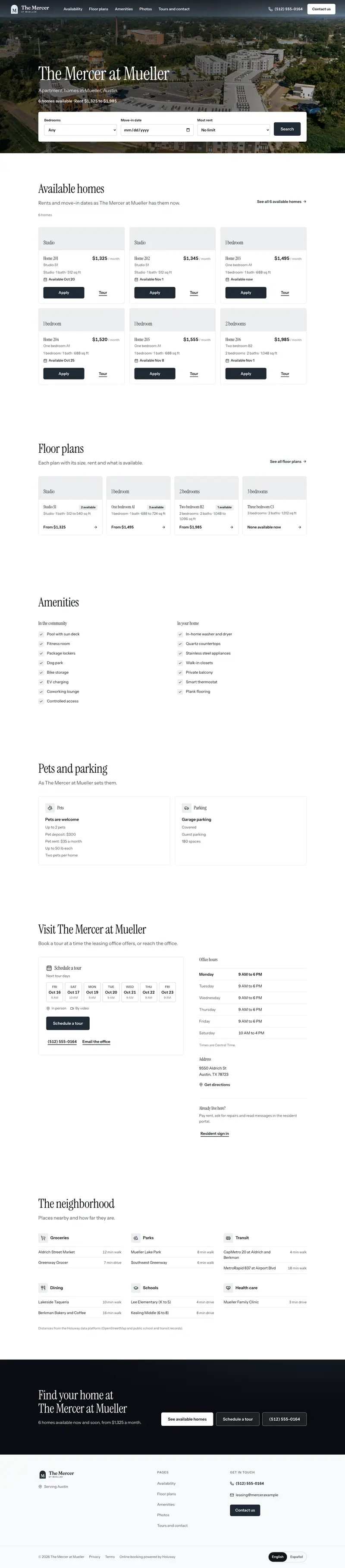
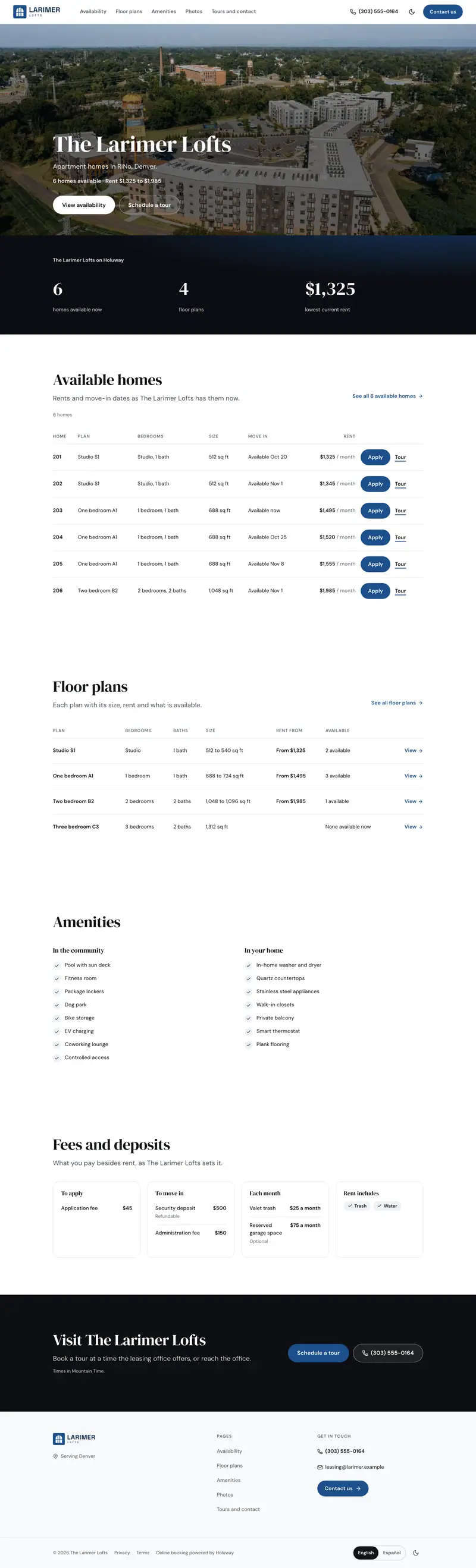
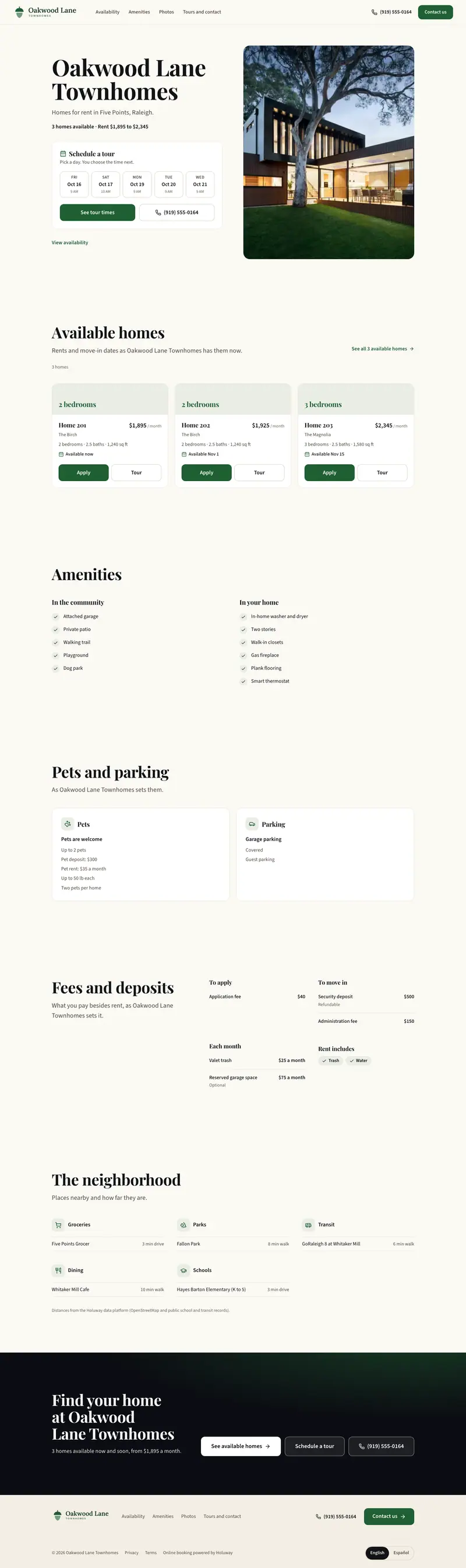
Templates

Three designs for a property.

A community, a city building, a house or a small building: each template is a whole site with its own pages.

Questions, answered

What does a property need before it has a website?

Its address, at least one photo and at least one home with its rent. Holuway then makes the website at once with the default template, ready for you to preview.

Do rents and availability update on their own?

Yes. The website shows the homes, rents, fees and photos as they are in Holuway now. Lease a home or change a rent and the site follows.

Where do tours and applications go?

Into Holuway: tours to your Tours screen in the hours you set, applications to your Applications, the same as from a listing.

Can I edit the words and sections?

Yes, in the Website Studio: add, hide and reorder sections and pages, change the look, and write each page's search title. Facts such as rents and homes always come from the property.

Can my property website use my own domain?

Not yet. It is published at its Holuway address today, and connecting a domain you own is the next step being built.

Your property's website can be ready to preview today

Create your free account and add a property with a photo and a home. Holuway makes its website from them, ready to preview.

Connected

Property websites works with

The same property, lease and resident records run through every part of Holuway, so what happens here shows up there without anyone typing it again.