
Platform overview
One system for the whole life of a rental.
Market a vacancy, lease it, run the tenancy and grow the portfolio in one workspace, on one set of property records. Every screen on this page is the product itself, with sample data.


The foundation
Everything starts with your properties.
Add a building and its units once, by hand, in bulk or from a file. Listings, applications, leases, rent and repairs all build on the same records, so nobody types an address twice.
- Buildings and units in bulk, with photos, floor plans and virtual tours
- A readiness check that says what a home still needs before it is published
- Every lease, resident, payment and repair kept with its home
Stage 1 of 4 · Market
Put every vacancy in front of renters, free.
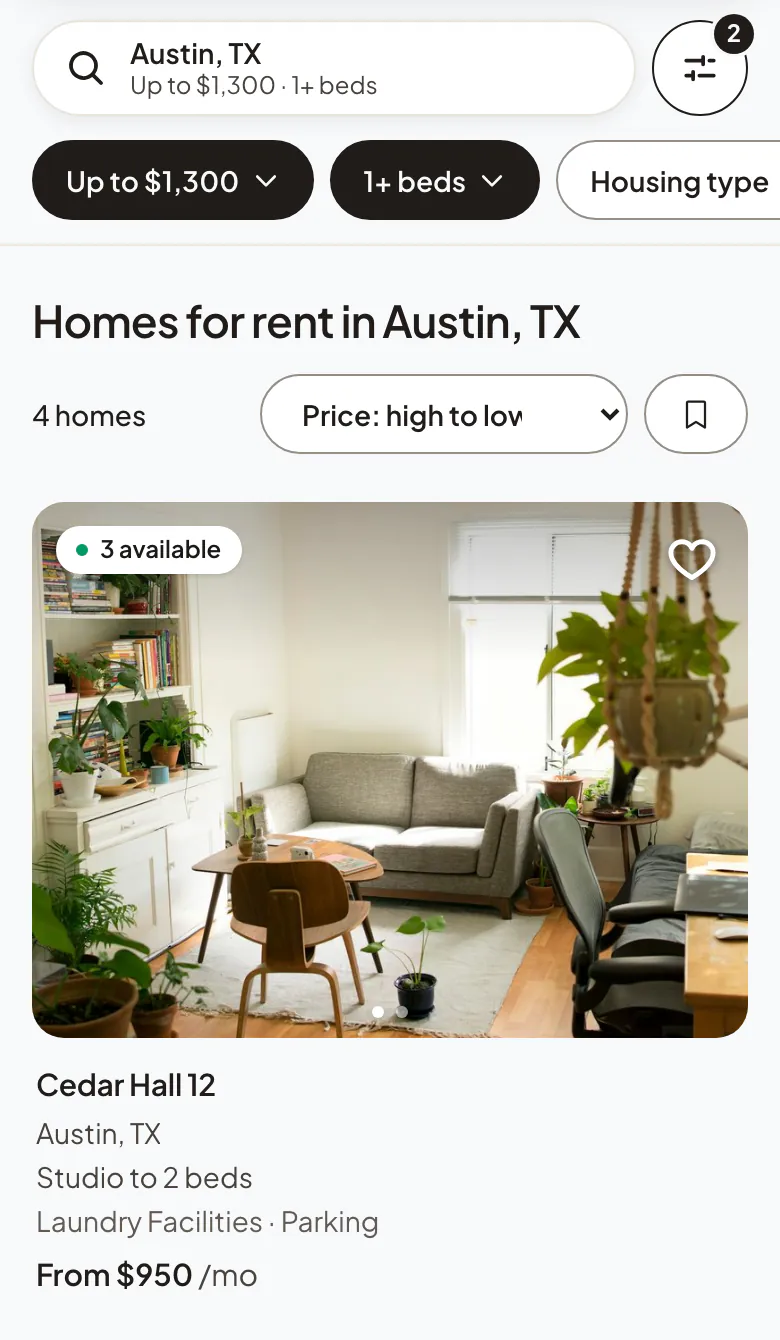
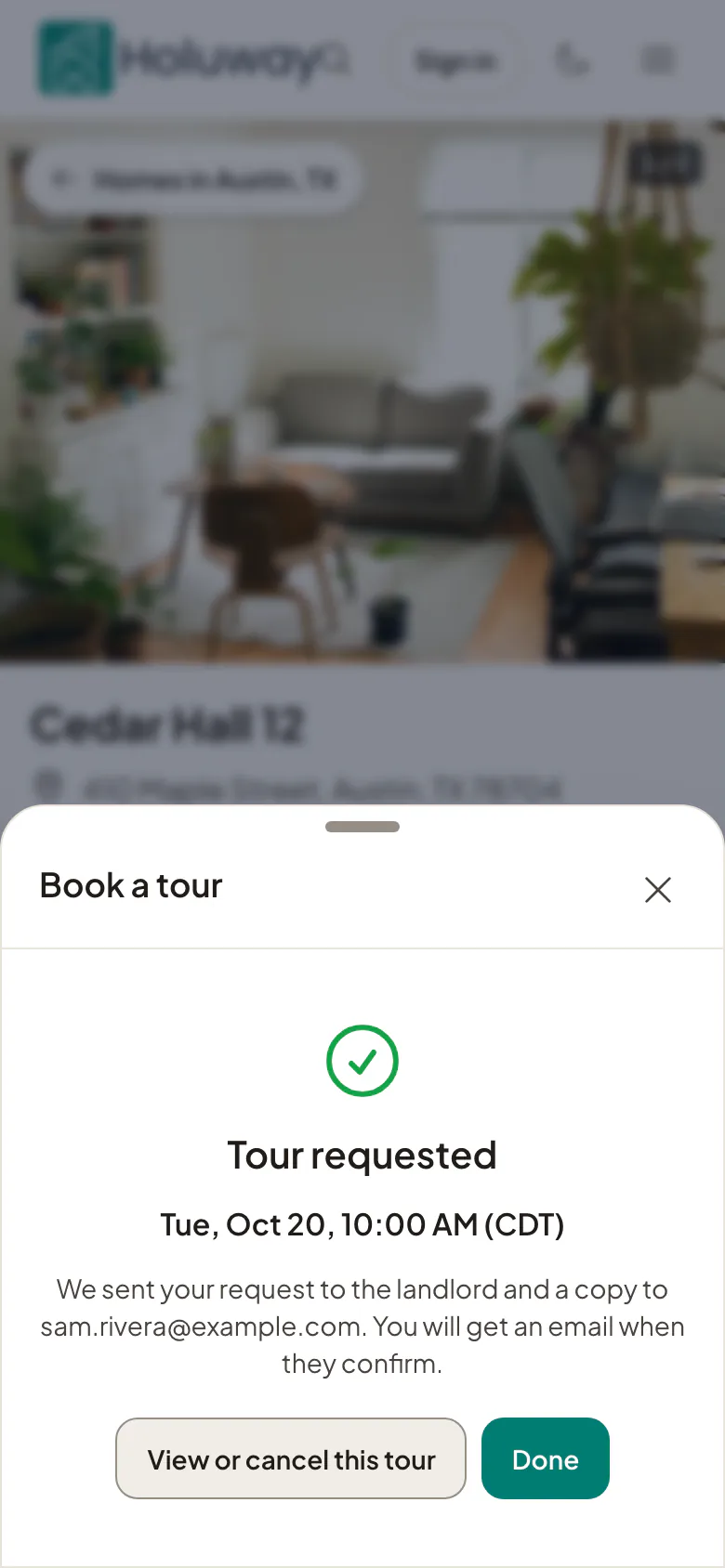
Publish a home to Holuway search and the map with its photos, rent, fees and availability. Renters book tours in the hours you set, and standard feeds carry your listings to other sites. Property websites built from the same records are coming.
- Unlimited free listings on Holuway search and the map
- In-person and video tours in the hours you set
- MITS and RESO feeds of your published listings
- Property websites built from your listingsComing
Stage 2 of 4 · Lease
From application to signed lease, without paper.
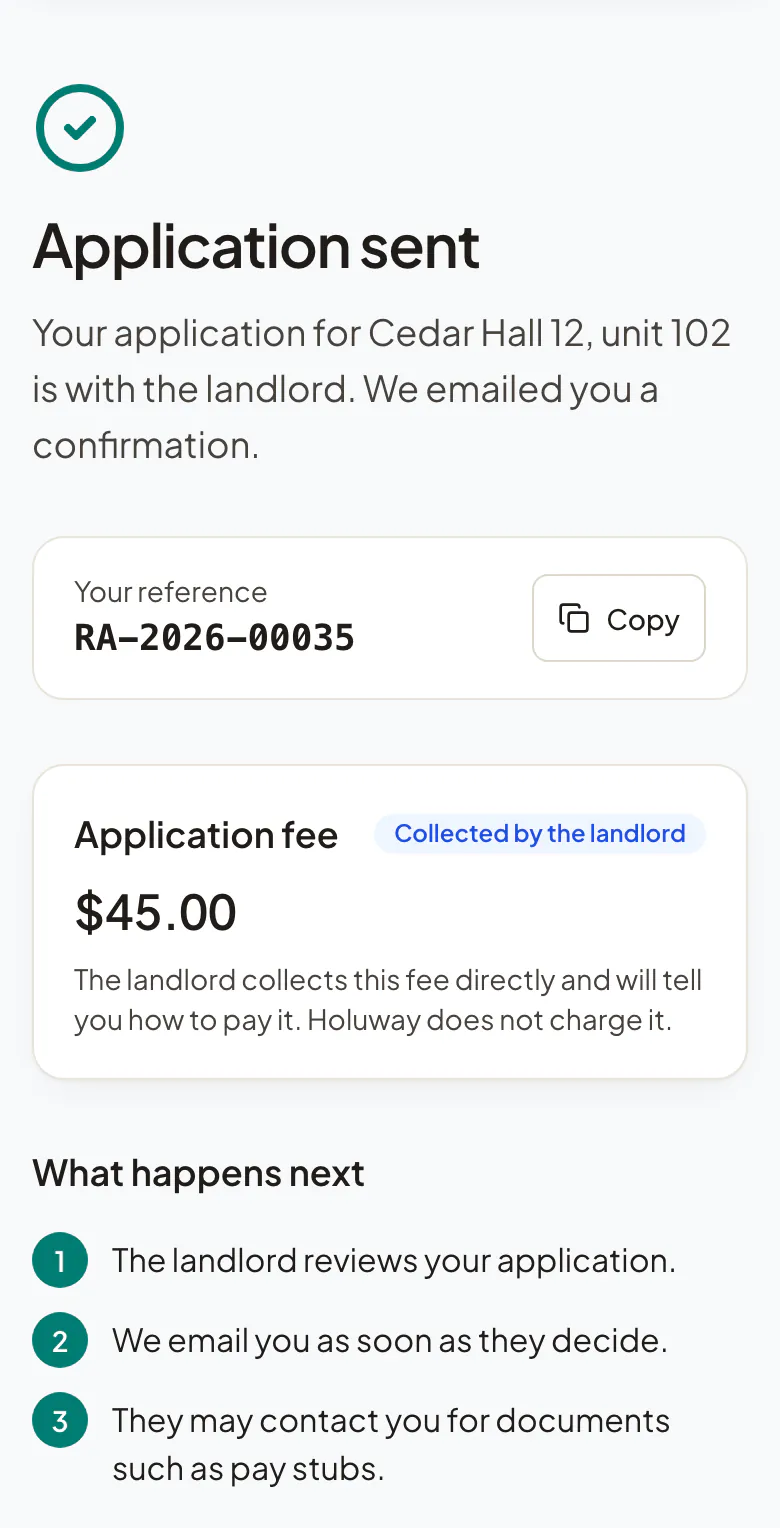
Every applicant fills in the same complete application and can pay your fee by card. You compare them side by side and decide. The lease goes out from the approved application, each tenant signs online, and you countersign.
- Complete applications, with an application fee paid by card
- A status page and a message thread for every applicant
- Your own lease, or a Holuway lease where one is offered for your state
- Move-in and move-out condition reports with photos

Stage 3 of 4 · Operate
Rent that arrives and repairs that get done.
Residents pay by bank or card from a portal in your brand, or let autopay do it, and reminders and late fees follow your rule. Repairs come in with photos, go to your team or to a vendor by a secure link, and the resident hears at every step.
- Rent paid to your own Stripe account, with autopay
- One ledger per lease, with deposits and refunds
- Repairs from report to closed, with vendors who need no account
- A resident portal for every property, at its own address


Stage 4 of 4 · Grow
Grow the portfolio and run it as a team.
Bring a portfolio in from the system you use now, keep listings going out in standard feeds and connect your own tools. Add your team with roles and access by property, let the routine run by rule, and follow occupancy, rent and repairs from your home screen.
- Imports from a spreadsheet, MITS or RESO, with a dry run and undo
- Team roles, with access limited to named properties
- Rules that run by themselves, from rent reminders to repair notices
- Portfolio numbers on your home screen, and maintenance reports
- A read-only API and signed webhooks

Questions, answered
Is this one product or several?
One. Listings, applications, leases, rent, repairs and portals share the same property, lease and resident records in one workspace, so a lease starts from the approved application and its rent reaches the resident's portal on its own.
Do I need to use all of it?
No. Start with free listings, applications and tours, and add leases, rent collection and repairs when you manage tenancies on Holuway. You can also bring your current leases in and start from rent.
What is not in Holuway yet?
Owner records and an owner portal, applicant screening and property websites are not available today. Property websites are the next part being built. Anything else will appear on this page when it ships, not before.
Does it work on a phone?
Yes. Your workspace and every resident portal work in the browser of any phone or computer, with nothing to install.
Your first listing can be live today
Create your account, add a property and publish your first listing in minutes. Free to start, no credit card.