
Invite your team and set roles
Invite the people you work with and give each a role and the properties they cover.
Invite someone
- Step 1Open Team and select Invite someone.
- Step 2Enter their email, choose a role, and add a message if you like.
- Step 3Under Properties, keep Every property, including ones added later, or choose Only the properties I pick.
- Step 4Select Send invitation. They get an email with a link to join.
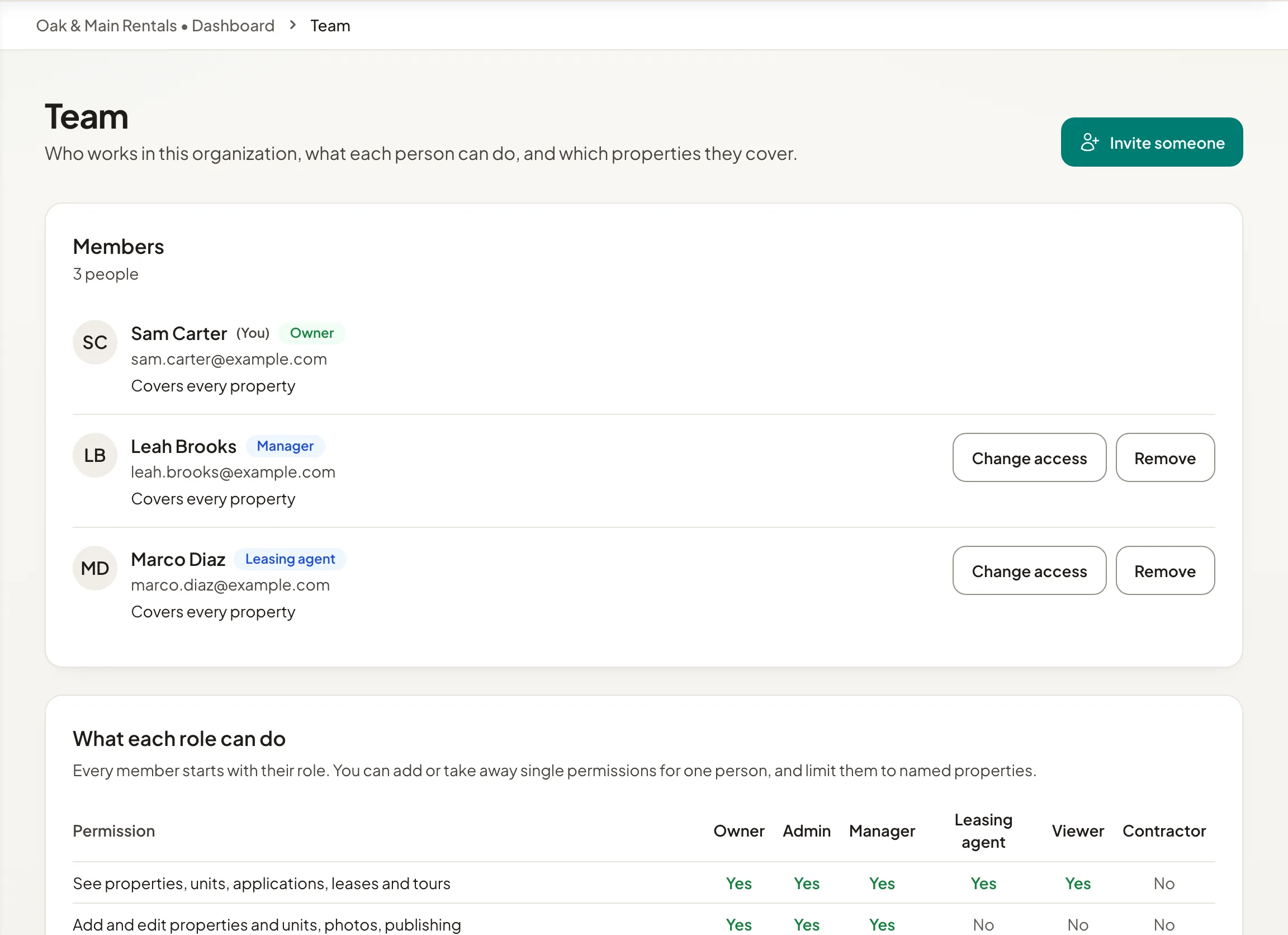
They accept while signed in with the email you invited, or create an account with it. An invitation lasts 7 days; select Send again to renew it, or Cancel invitation. To change someone's role, permissions or properties later, select Change access.
Roles
- Owner: everything, always. Only owners make owners.
- Admin: everything except changing owners.
- Manager: runs properties and leasing, and invites people.
- Leasing agent: sees properties and handles applications, tours and leases.
- Viewer: sees properties, changes nothing.
- Contractor: only the repairs given to them.
Each role starts with a set of permissions, and you can add or remove single permissions for one person. The table What each role can do at the bottom of the Team page lists them all.
You can only give roles below your own. An organization always keeps at least one owner.
Team size and plans
Each plan includes a number of team members, shown on Billing. During launch, these limits are not applied.