
Handle a repair request
Triage a repair, ask the renter for detail, assign it, set the visit, and close it once the work is checked.
Find the request
Renters' requests arrive in Maintenance. Views such as Emergency, To assign, Scheduled and To review sort them by what they need next.
For a call, something found at an inspection, or a common area, select Open work and describe the problem yourself.
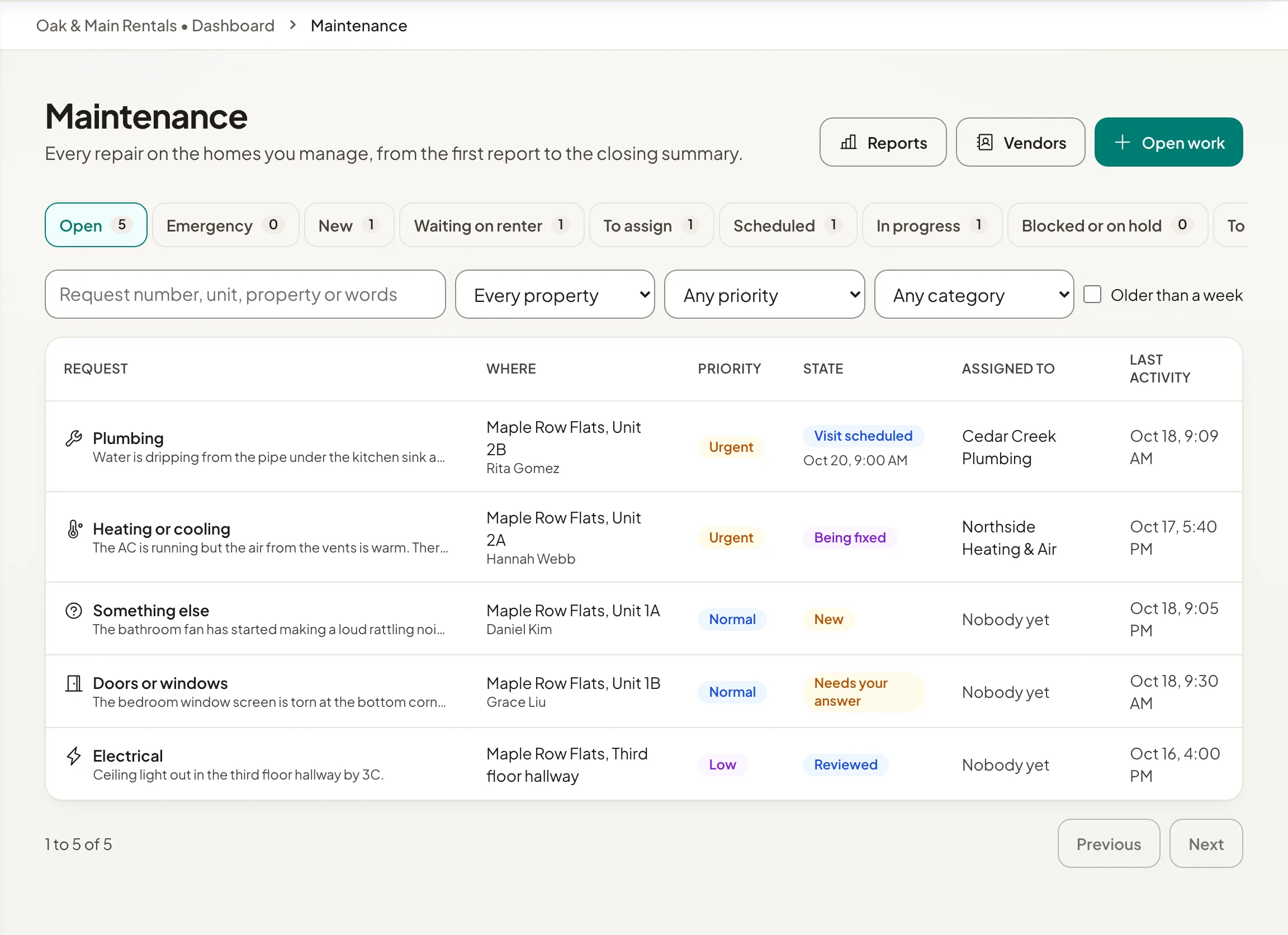
Work it through
- Step 1Open the request and select Triage to set the priority you will work to, and the category if needed.
- Step 2Need more detail? Select Ask the renter. They are emailed your question, and the request shows Needs your answer.
- Step 3Select Assign and choose someone on your team or a vendor.
- Step 4Select Set visit to record when the work happens.
- Step 5When the work is reported done, select Review and close, say how it was resolved, and select Close the repair. The renter reads your note.
If the renter says it is not fixed, select Reopen. Put on hold and Cancel repair are there for work that stops.
Who sees what
When you write on a request, choose who it goes to: The renter, The vendor, or Staff only (a note). Photos can be shared with everyone, with the vendor and staff, or with staff only.
Costs are seen only by people whose role includes repair costs. They are never shown to renters.